Dimensions
A dimension is a reusable list of items — for example months, accounts, or departments. The same dimension can be the row axis of one cube and the column axis of another, so any change to the dimension (a new account, a renamed department) propagates consistently across every cube that uses it.
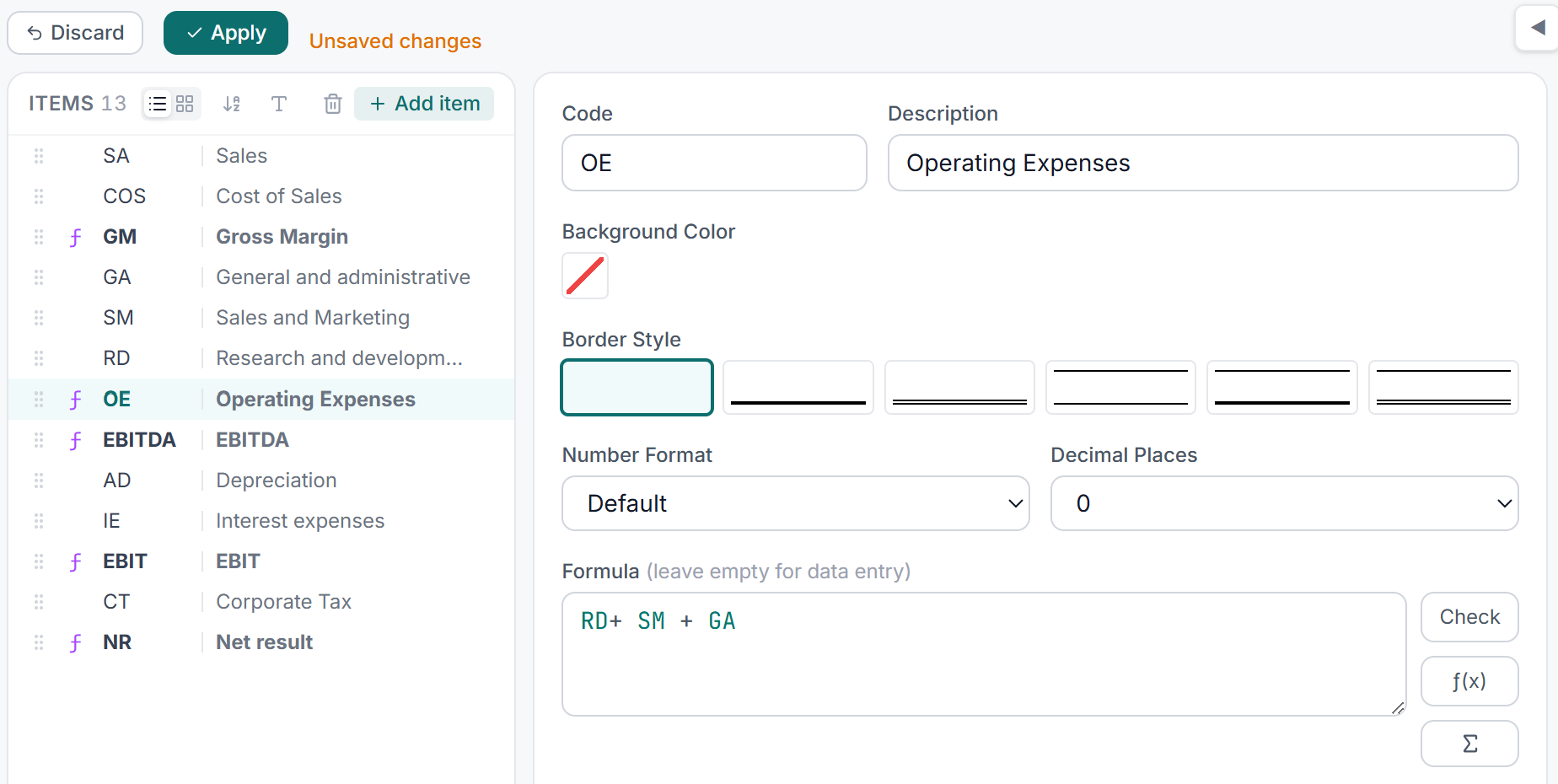
The dimension editor: items are listed with their codes, descriptions, and optional formula expressions.
The three item types
Every dimension is a list of items. An item has a short code (used in formulas and cell coordinates) and an optional longer description (used for display). Codes are unique within a dimension, and case does not distinguish them — a dimension cannot hold both Opex and OPEX, because everything that resolves a code ignores case, so the second one would be unreachable. Items come in three kinds:
Leaf items hold input data. They have no formula attached. When you enter a number in the grid, you are writing to a leaf item. Most rows in an Accounts dimension — Sales, COGS, SalaryExpense — are leaf items.
Aggregate items (in a hierarchical dimension) are parent nodes whose value is the automatic sum of their children. You do not enter data into them; the engine rolls up the children. For example a TotalRevenue parent item might aggregate children ProductSales, ServiceSales, and OtherRevenue. See Dimension types.
Formula items compute their value from an expression you write in the XCubes formula language. They can reference sibling items by code, call built-in functions, and look up values from other cubes. A GrossMargin formula item might read Revenue - COGS, or a YTD item might use Lag() to accumulate months. See Formulas.
Properties an item carries
An item can also carry facts that are not numbers and not formulas — an employee's grade, a product's family, a subsidiary's reporting currency. Those live as schema attributes: properties declared on the dimension whose values are items of another dimension, optionally changing over time. They belong to the model rather than to any one cube, so every cube using the dimension gets the same answer.
Items are the coordinates
Each item in a dimension also defines part of a cell's address. To read or write a cell you specify one item code per dimension. Because items are named rather than numbered, coordinates are human-readable and stable — you can reorder items in the editor without breaking any formulas or data. See Coordinates.