Schema attributes
Some facts belong to an item rather than to a cube. An employee has a grade. A product belongs to a family. A subsidiary reports in a currency. None of these is a number, so none of them fits in a cube cell — and none of them belongs to any one cube, because every cube that uses the dimension is entitled to the same answer.
A schema attribute is where that fact lives: a property carried by the items of one dimension, whose value is an item of another dimension. Grade, defined on Employees and pointing at Grades, gives every employee a grade — once, for the whole project.
Defining one
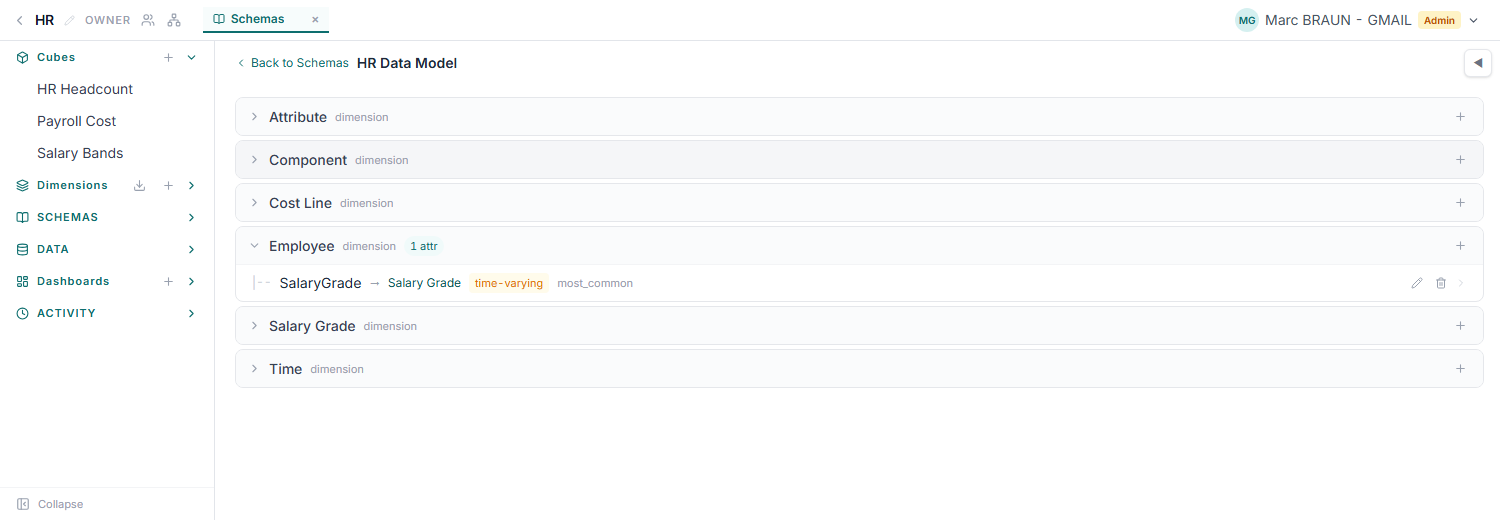
An attribute is declared inside a schema, a named container that groups related attributes. Defining one means answering four questions:
- Which dimension carries it? Employees. Its items are the ones that will hold values.
- Which dimension does it point into? Grades. Every value must be an item of that dimension, so the attribute cannot drift into free text.
- Is it time-varying? If yes, each value can carry an effective-from and effective-to date, and an item can hold several values that succeed one another.
- Which aggregation rule? Only relevant for a time-varying attribute — see below.
An attribute name is unique per schema and dimension, both dimensions must belong to the same project, and an attribute that would make two dimensions point at each other is rejected rather than resolved arbitrarily.
Giving items values
Values are set per item: pick the item that carries the attribute, pick the item it points at, and — for a time-varying attribute — set the dates. An undated value is simply the item's current answer, and re-setting it replaces it. Dated values must not overlap: two ranges covering the same day for the same item are rejected, because the lookup would have no defined answer.
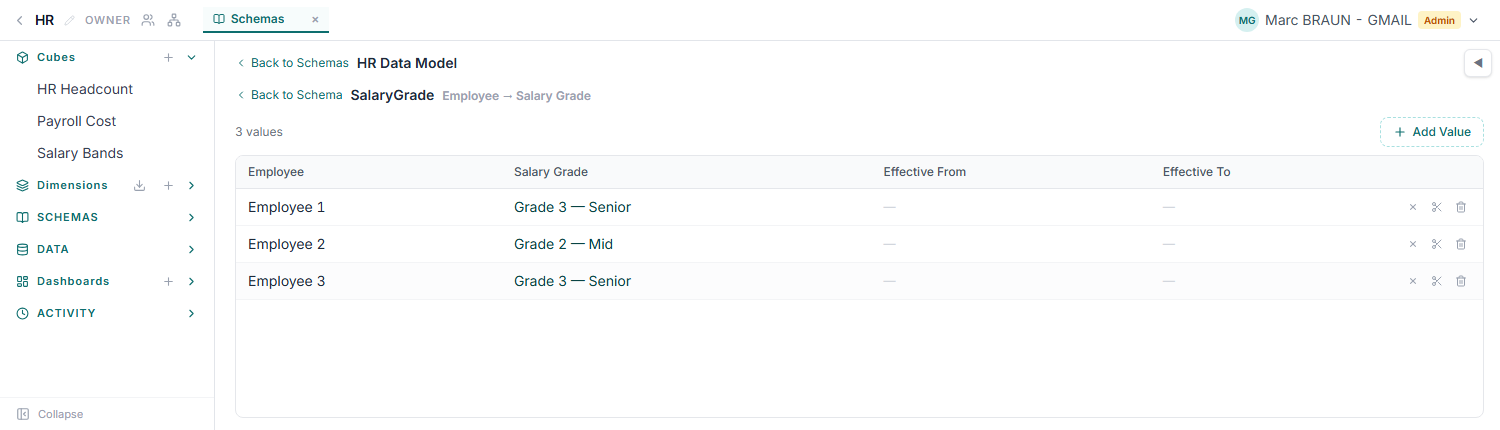
Coverage is the thing to watch. An item with no value does not produce a blank — the reference that follows the attribute falls back to the first item of the target dimension, which is a real number that happens to be wrong. See Finding silent errors, which reports attributes with missing values before they cost you anything.
Time-varying attributes and the aggregation rule
A promotion is the standard case: an employee is Senior through March and Principal from April. With a time-varying attribute, that is two values with adjacent date ranges, and a monthly cube reading through the attribute picks up the change in April on its own.
Periods longer than the change are the awkward case. A quarter or a full year can span both values, and the aggregation rule decides which one that period gets — latest (the default), earliest, or most common. It is worth setting deliberately on any model that reports quarters or years, because the default is a choice, not an absence of one.
A cube reading through a time-varying attribute needs a time-scale dimension, so that each cell knows which period it is asking about.
What follows an attribute
A cube reference configured in schema mode resolves one of its dimensions through an attribute instead of pinning it: a Staff Cost cube reads a pay-scale cube, and the Grade dimension is answered per employee by the Grade attribute. See Reference transfer options for how that sits alongside the other five transfer rules, and when to choose it over a cell-driven lookup — the short version is that an attribute is maintained in one place, applies to every cube, and carries its own history.
Where to find them
Schemas live in their own section of the project sidebar, available to project admins and owners. The section stays hidden until a schema exists, so the way in the first time is the Manage schemas… link at the foot of the Dimensions list.